 MamaBee
Baby Feed Timer vs MamaBee (2026): Which Breastfeeding App?

Short answer: pick Baby Feed Timer if you mainly breastfeed, use an Apple Watch or have an Android-using partner, and like paying once: it's $9.99 after a 7-day trial. Pick MamaBee if you want a tracker that stays free, covers far more than feeds, and keeps your baby's data on your iPhone.
We make MamaBee, so weigh what follows with that in mind. Baby Feed Timer has been on the App Store since October 2010, it's still updated (version 7.11.1 shipped on October 20, 2026), and its 24,500 US ratings average 4.8 stars. Few baby apps have earned that kind of loyalty, and it's worth understanding why before comparing.
How do Baby Feed Timer and MamaBee compare?
| Baby Feed Timer | MamaBee | |
|---|---|---|
| App Store rating (US) | 4.8 (24.5K ratings) | New |
| Price | 7-day trial, then $9.99 once | Free; Premium $4.99/mo or $49.99/yr |
| After the trial | Stops logging until you buy | No trial; free tier keeps working |
| Nursing tools | L/R timer, pause, switch, which breast next, minimum time per side | L/R timers |
| Also tracks | Bottles, pumping, diapers, sleep, medicine, temperature, solids, weight, length | All of those, plus vaccines, 45+ CDC milestones, symptoms, doctor visits, activities, custom logs |
| Partner sync | One shared login, unlimited devices | 2 caregivers free; more on Premium |
| Reminders | Feed, pumping, diaper, wake time | Vaccine due dates |
| Apple Watch / iPad / Android | Yes / Yes / Yes | Roadmap |
| Siri and Control Center | Yes | No |
| Nap prediction / AI chat | No | Premium |
| Export | Email your data | CSV, JSON, pediatrician PDF |
| Where logs live | Its sync server, once you sign in | Your iPhone by default |
What Baby Feed Timer does best
It's built around nursing. Big left and right buttons, pause and switch sides mid-feed, a prompt for which breast comes next, and an optional minimum time per side. Its reminders can break through Do Not Disturb so you don't miss a feed or pump. In April 2026 it added a Bottle Only mode for parents who don't nurse.
It's everywhere you are. iPhone, iPad, Apple Watch with complications, Android, and a web viewer that lets a grandparent check the log from a browser. You can start a feed from Control Center or with Siri.
You pay once. The full version is $9.99, with no subscription. One purchase unlocks every device signed in to the same account, Android included, and twins are covered.
Partners share one account. Both parents sign in with the same email and password and see the same log. Reviewers regularly mention this as the reason they stuck with it.
Where Baby Feed Timer stops
There's no lasting free tier. The vendor's help centre is clear: after the 7-day trial, the app stops working except for exporting your data or buying the full version. It's a fair deal, but it's better to know before day eight than at 3 AM on day eight.
It's feeds-first. It logs sleep, diapers, growth, medicine, temperature and solids, but there's no vaccine schedule, no milestone checklist and no doctor-visit log.
Sharing is one login. Everyone uses the same email and password rather than their own invite. It works, but it means sharing a password with a nanny.
Your logs sync through its server. That's how the shared account works. Its App Store privacy label lists Usage Data under "Data Used to Track You", and advertising data (not linked to your identity) used for third-party advertising.
Where MamaBee is different
Free means free. There's no trial clock. Sleep, breastfeeding timers, bottles and pumping, diapers, growth with WHO percentiles, temperature, medicine, symptoms and doctor visits are free, with no ads on any tier.
It covers the whole baby, not just feeds. Country-specific vaccine schedules with due and overdue reminders, 45+ CDC milestones, activities like tummy time and baths, solids, and your own custom log types.
Two caregivers sync free, each with their own invite. Everyone sees the same live timeline.
Your data stays on your phone by default. Logs reach our servers only if you turn on Co-Parent Sharing. We never sell data or use it to train outside AI. Export to CSV, JSON or a pediatrician-ready PDF is free.
Premium adds thinking. For $4.99 a month or $49.99 a year: Sleep Coach nap prediction, unlimited Bee AI chat, the Solid Food Allergen Test, multi-baby sync and more caregivers.
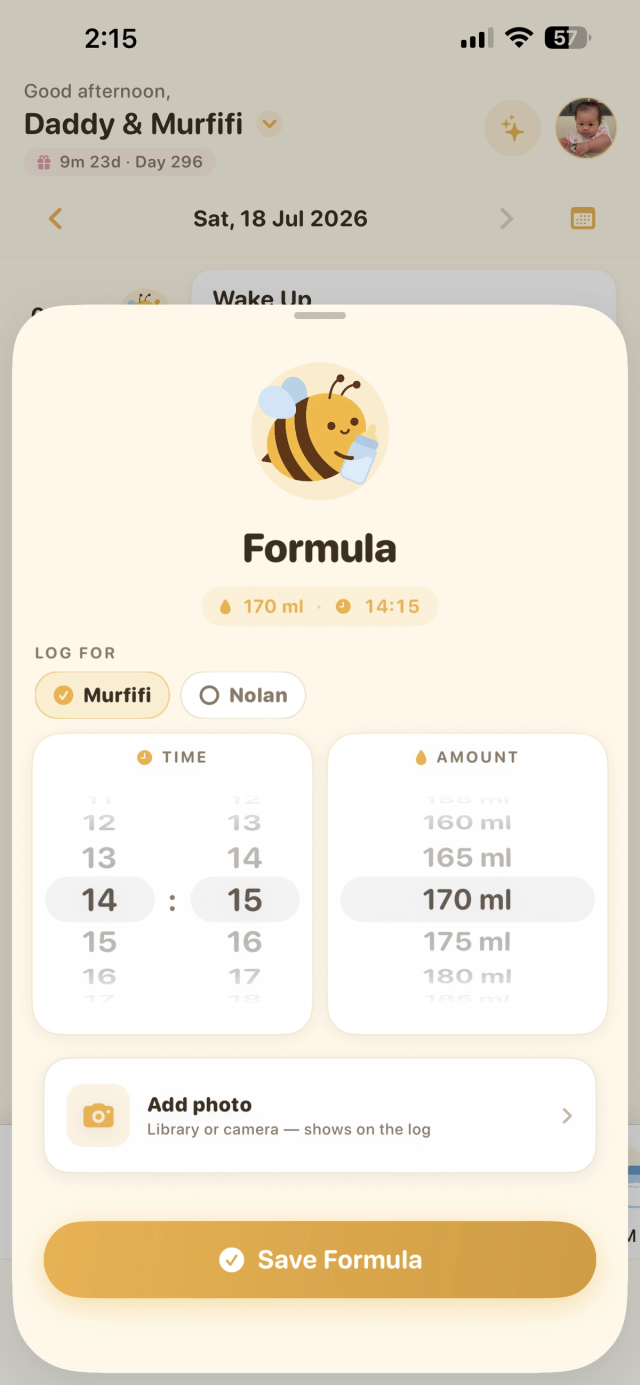
Want a free tracker that covers feeds and everything else? Try MamaBee.
Get the appWhere MamaBee loses
- No Apple Watch, iPad or Android yet. For a nursing parent, starting a feed from the wrist is a real advantage, and Baby Feed Timer has it.
- Simpler nursing tools. We have left and right timers. Baby Feed Timer goes further, with which-breast-next prompts, a minimum time per side and feed-due reminders.
- No Siri or Control Center logging.
- Premium costs more over time. If you want extra features and hate subscriptions, $9.99 once is hard to beat.
- We're new. Baby Feed Timer has 15 years of refinement behind it.
Which costs less over time?
| Year 1 | Year 3 | 2 kids, 5 years | |
|---|---|---|---|
| Baby Feed Timer full version | $9.99 | $9.99 | $9.99 |
| MamaBee free | $0 | $0 | $0 |
| MamaBee Premium (annual) | $49.99 | $149.97 | $249.95 |
Baby Feed Timer's one-time price is excellent value. MamaBee's free tier costs less still, and nothing stops working on day eight. MamaBee Premium is the most expensive option here, and it buys different things: nap prediction, AI chat and allergen tracking, which Baby Feed Timer doesn't offer at any price.
Which should you choose?
Choose Baby Feed Timer if you're exclusively or mostly breastfeeding, you'd use an Apple Watch or Siri to log, one of you is on Android, or you want to pay once and never again.
Choose MamaBee if you're both on iPhone, you want a free tracker without a trial deadline, and you want vaccines, milestones and health in the same place as feeds.
Breastfeeding questions come up fast in the first weeks. Our guides on cluster feeding and how much a newborn should eat can help, and our best baby tracker app comparison covers the wider field.
Frequently asked questions
Is Baby Feed Timer free?
It's free to download with a 7-day trial of everything. After that the app stops logging until you buy the full version for $9.99, a one-time purchase with no subscription. You can still export your data without paying.
Can two parents share Baby Feed Timer?
Yes. Both parents sign in to one shared account, and the log syncs across iPhone, iPad and Android. Sharing is included in the $9.99 full version.
Does Baby Feed Timer work on Apple Watch?
Yes, with complications on the watch face. MamaBee doesn't have an Apple Watch app yet; it's on our roadmap.
Is MamaBee free?
Yes. Core logging, two-caregiver sync, insights and CSV, JSON and PDF export are free, with no ads. Premium costs $4.99 a month or $49.99 a year and adds Sleep Coach, unlimited Bee AI, the Solid Food Allergen Test, multi-baby sync and more caregivers.
Can I move my data from Baby Feed Timer to MamaBee?
Not directly; baby trackers don't import from each other. Export your Baby Feed Timer history for your records and start fresh. A tracker becomes useful again within about a week of logs.
The takeaway
Baby Feed Timer is a focused, long-loved nursing tool that asks for $9.99 once and runs on almost anything. MamaBee is a whole-baby tracker for iPhone that stays free, keeps your data on your phone, and adds nap prediction and AI if you want them. If feeds are your whole world and you wear a Watch, Baby Feed Timer is hard to beat. If you want everything in one calm place, without a trial clock, try MamaBee.
Download MamaBee free: one-thumb logging, no ads, no trial clock.
Get the appSources: Baby Feed Timer App Store listing, Baby Feed Timer website, Baby Feed Timer on Google Play.
Competitor prices, features and privacy labels checked on the US App Store, the vendor's own website and help pages, and Google Play on October 25, 2026, and may change. This article is general information, not medical advice.
← All MamaBee articles

